Quick Guide on Changing the Theme of Your Workbook in Excel
Updated: Jan 11, 2024
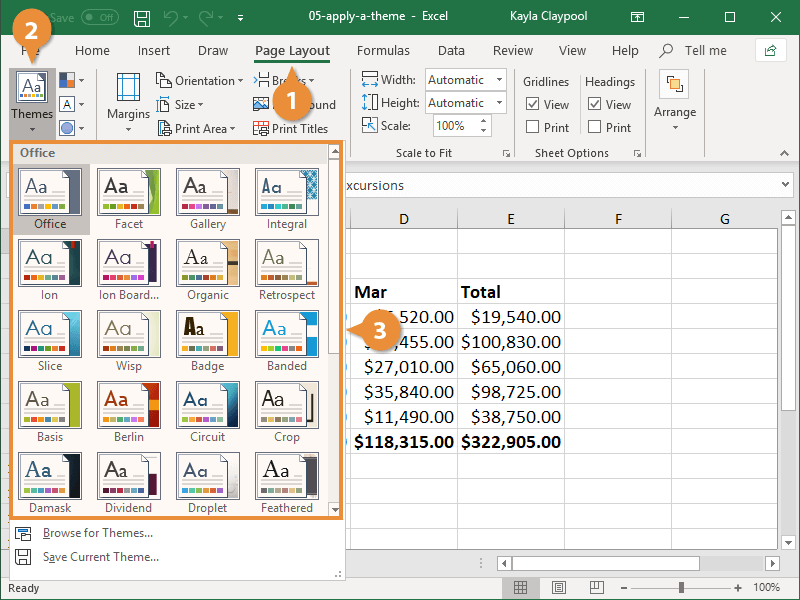
To change the theme of a workbook in Excel, you can follow these steps:
Open Your Excel Workbook:
Launch Microsoft Excel and open the workbook for which you want to change the theme.
Go to the Page Layout Tab:
Navigate to the "Page Layout" tab in the Excel ribbon.
Access the Themes Options:
Within the "Page Layout" tab, look for the "Themes" group.
Select a Theme:
Click on the "Themes" dropdown menu to reveal a list of available themes.
Hover Over Themes for Preview:
Hover your mouse over each theme to see a live preview of how it will look in your workbook.
Click on the Desired Theme:
Once you find a theme you like, click on it to apply it to your workbook.
Changing the theme will automatically update the colors, fonts, and effects throughout your workbook, providing a consistent and polished appearance. This feature is handy for giving your workbook a professional and visually appealing look.



Comments